Sopaletra · iPhone and iPad

Word search for your break.

Open a quick word search, make a magazine of your own, or follow a clue into another language. Sopaletra brings the calm rhythm of paper puzzles to iPhone and iPad.

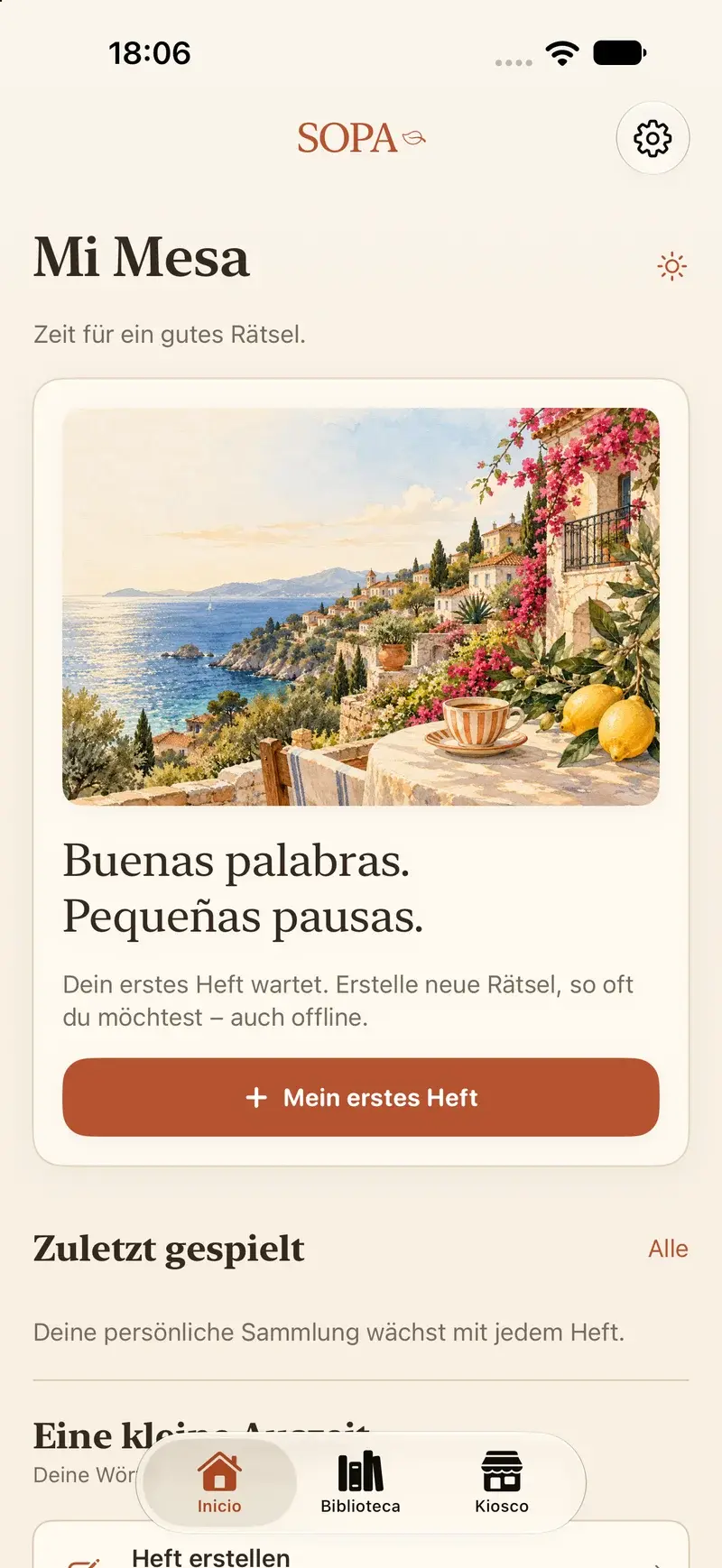
Sopaletra on iPhone: Mi Mesa, a Mediterranean illustration and the create magazine action
A word chain on iPad and Mi Mesa on iPhone. The screenshots use the German interface.

One puzzle or a whole magazine.

Quick puzzles suit a short break. A magazine keeps a set of puzzles together, so you can turn another page when you come back.

  1. Pick a topic

    Start with something familiar, from animals and nature to food and travel.

  2. Choose how to play

    Set the language and difficulty. Open a quick puzzle, or build an issue around one type or a mix.

  3. Make time for another page

    Your created puzzles stay on the device. Pick them up again when you have a spare moment, even offline.

Three new ways
to read the grid.

Follow a corner, build a trail or spot every occurrence of a word.

Find the corner

Bent words

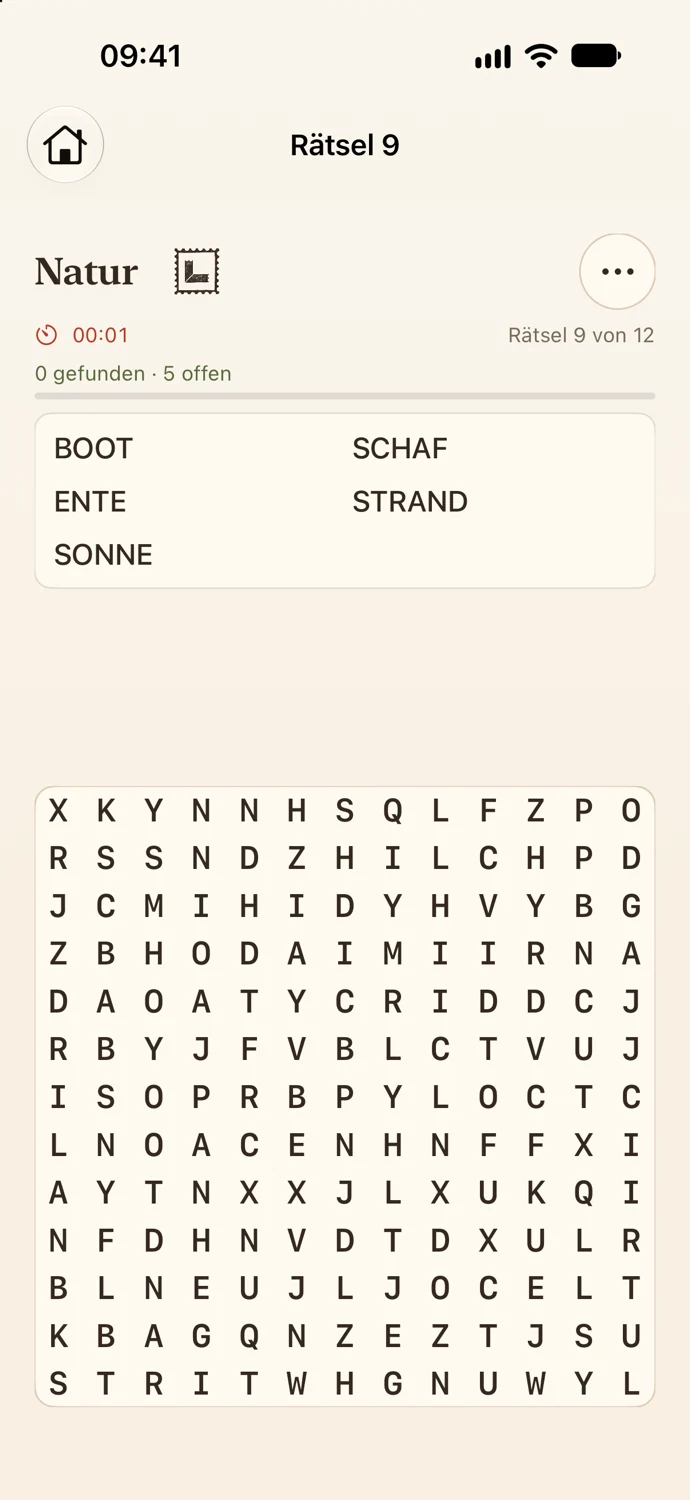
Follow a word in a straight line to the turning square, then keep going in the new direction. You can also tap the start, the corner and the end.

For a word like BOOT, go right from B to the first O. Turn there and continue down through the second O to T.

Read the rules
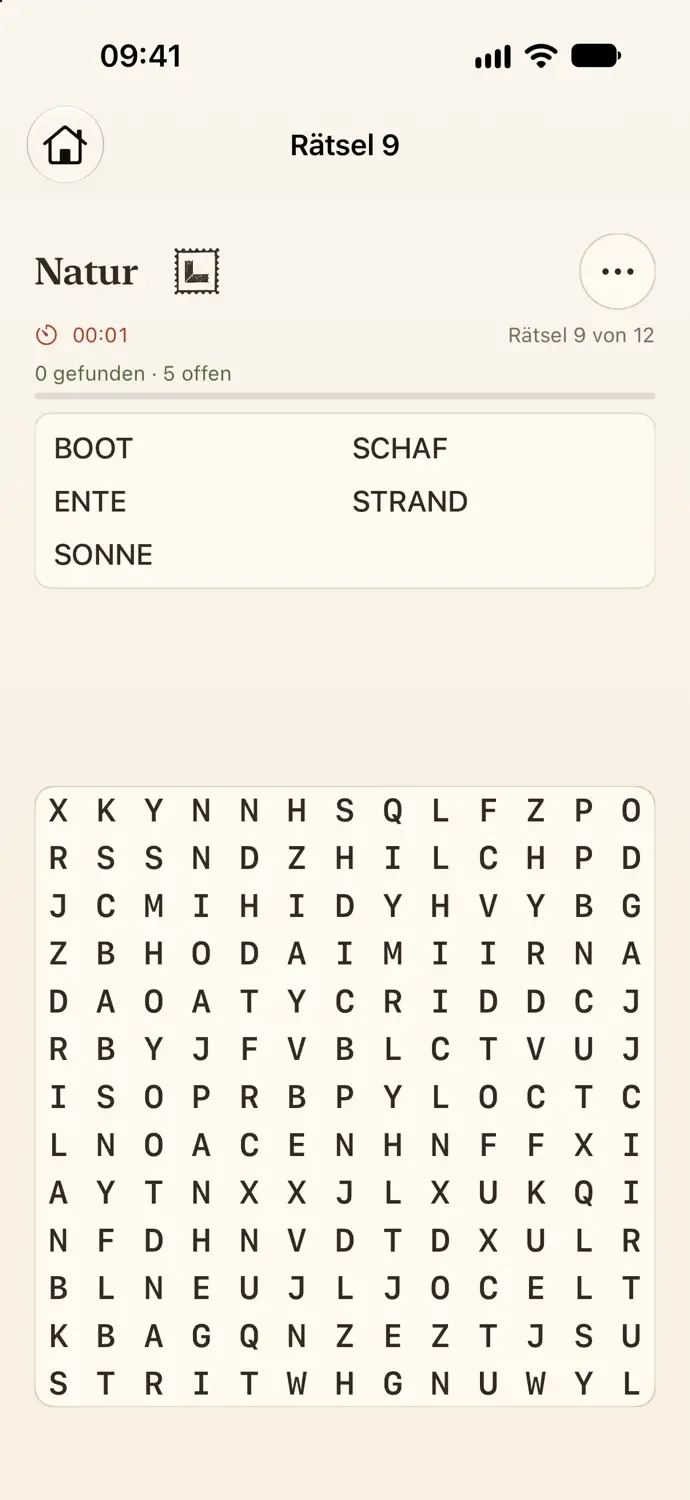
Bent word search on iPhone, with a word list above the letter grid
The iPhone shows the word list above the grid. View bent words screenshot full size
From start to goal

Word chains

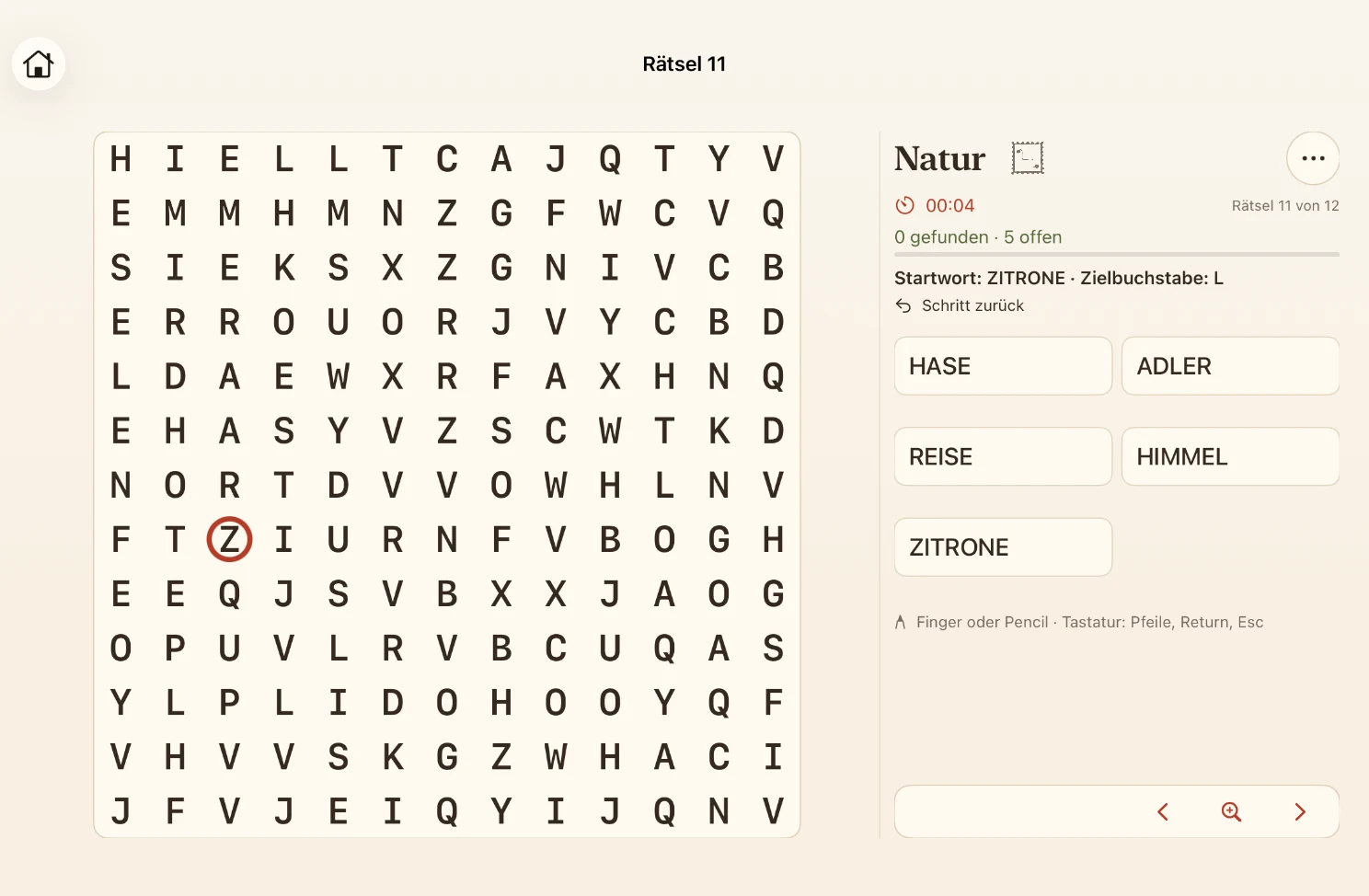
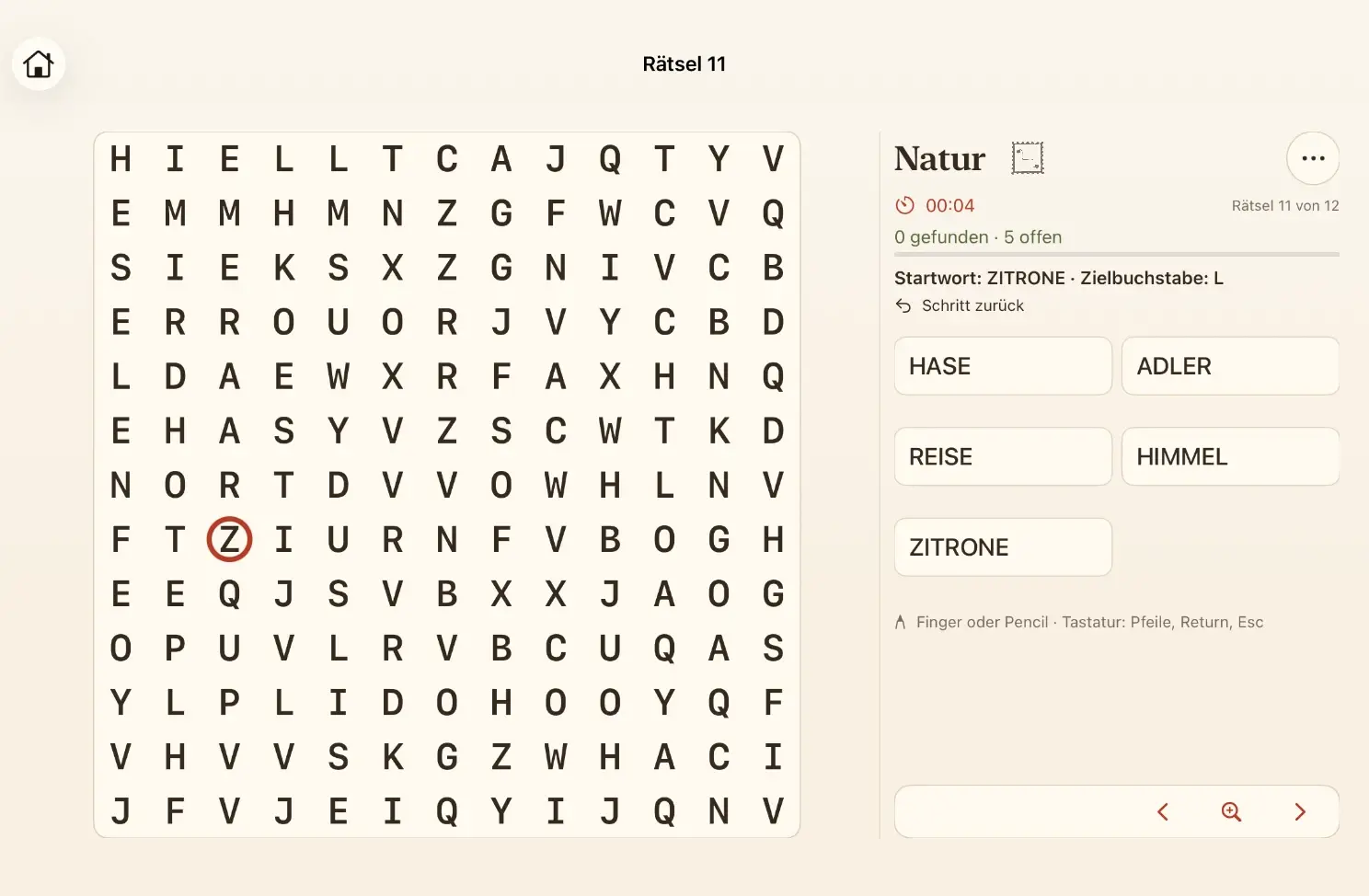
Start on the marked square and spell the first word by visiting neighbouring cells. Keep the same trail going through the next words until you reach the goal.

Start at the marked Z to trace ZITRONE. After the E, continue to the first letter of the next word.

Read the rules
Word chain on iPad, with a marked starting square and the word list beside the grid
On iPad, the start marker and word list sit next to the grid. View word chains screenshot full size
Every occurrence counts

Word count

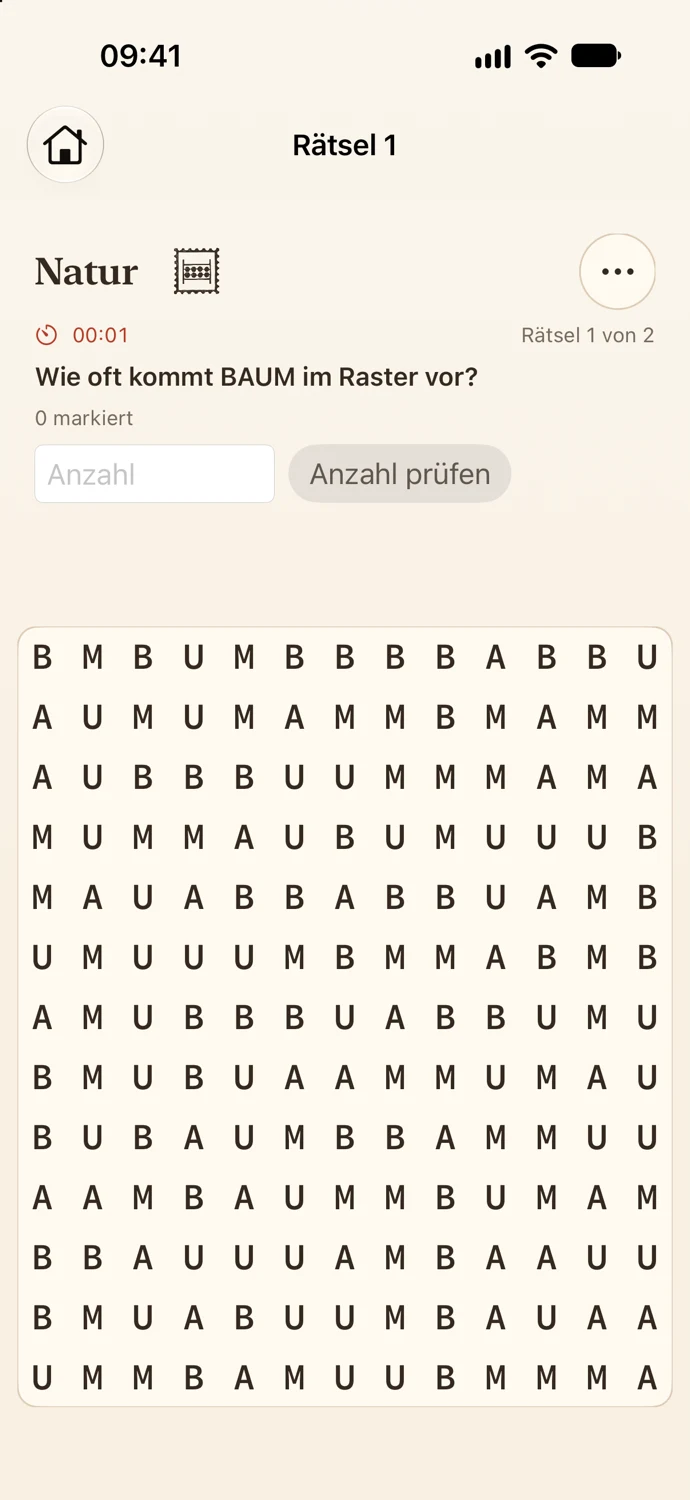
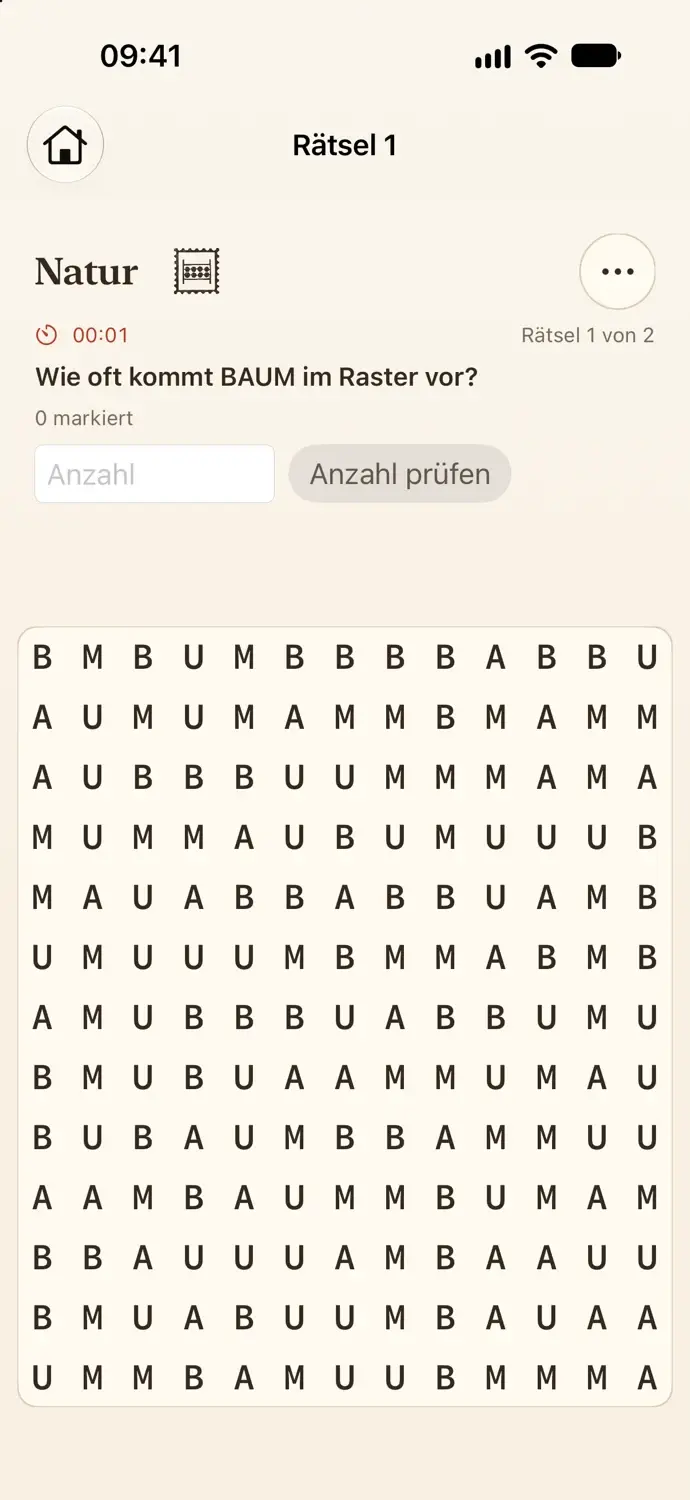
Look for the same word more than once. Mark every place it appears in the grid, then enter the total to check your answer.

If the target appears in three different places, mark all three paths and enter 3.

Read the rules
Word count puzzle on iPhone, with the target word and count field above the grid
The iPhone keeps the target word and count controls above the grid. View word count screenshot full size

More ways to play

  • Classic word search

    Start at the first letter and follow the word in a straight line. Watch for words going backwards or diagonally.

  • Number search

    Look for a sequence of digits in the same order, just as you would look for a word.

  • Words and numbers

    Some letters become digits. Compare the clue with its grid spelling and find the matching line.

  • Hidden word

    Finish the word list first. Then use the revealed letters to piece together the final answer.

Find the translation.

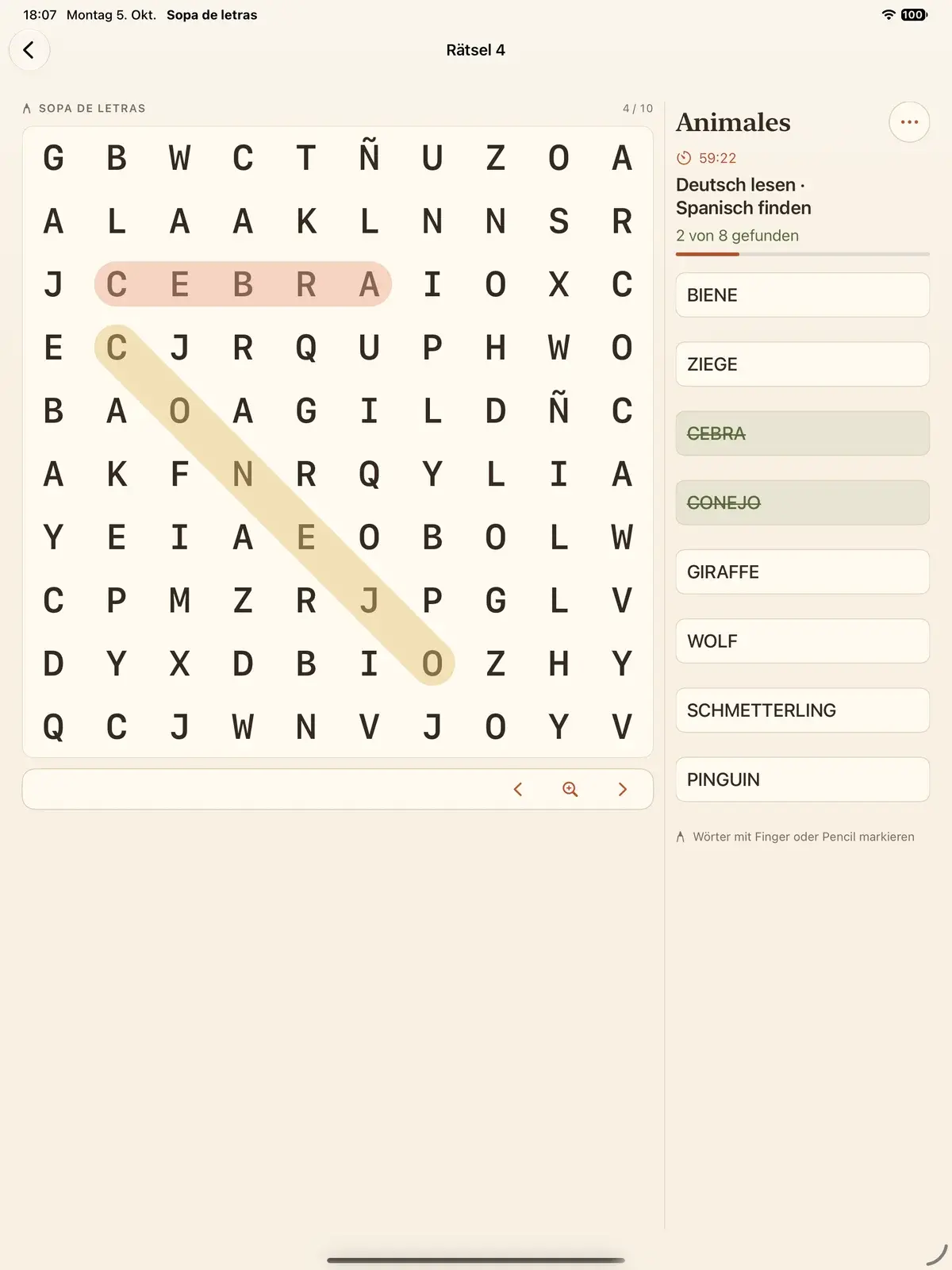
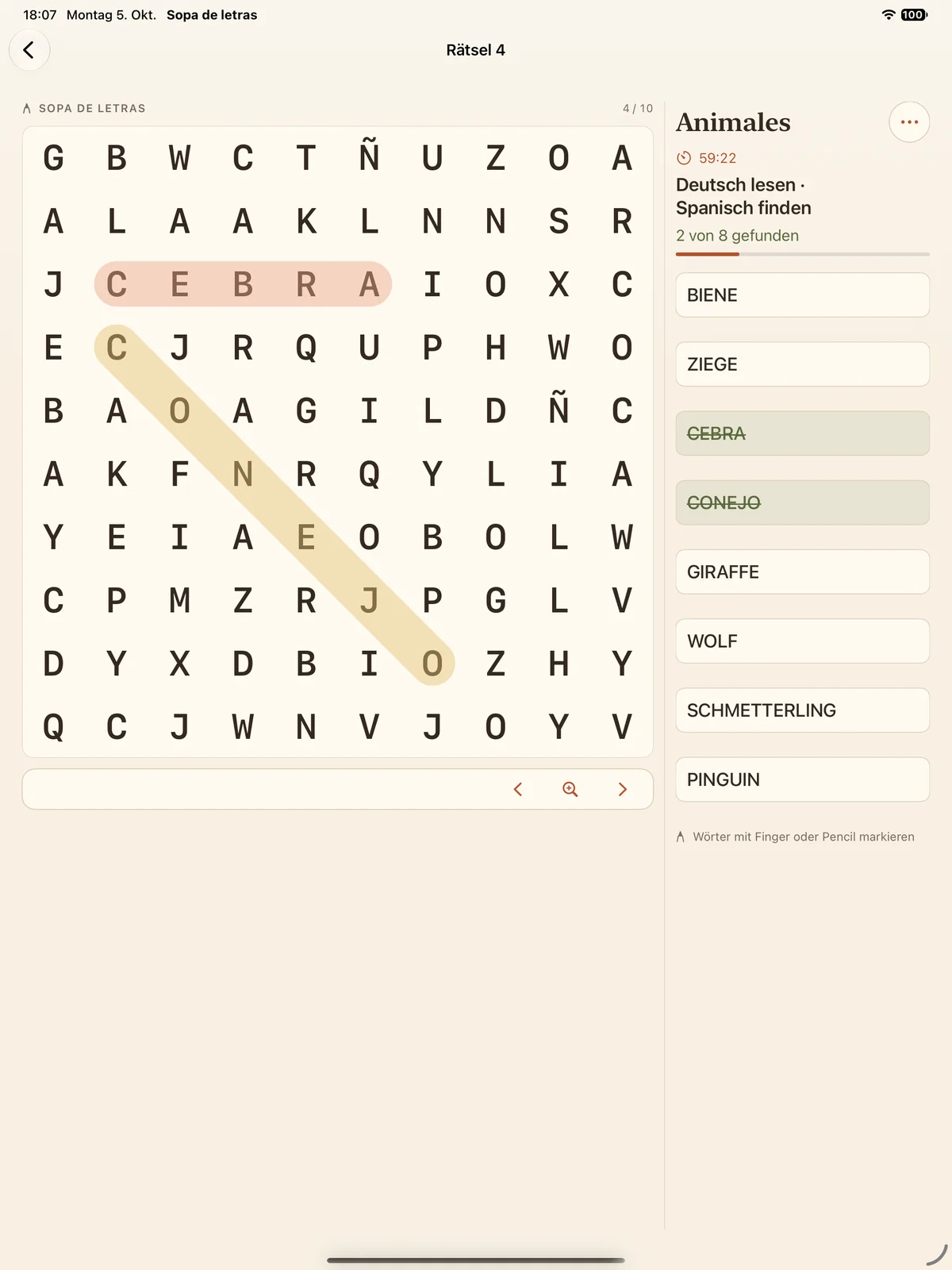
Sopaletra Learn puts the clues and the answers in different languages. Choose the clue language, set the grid language, then hunt for the translated word.

Hase, conejo

In this example, the German clue means rabbit. Look for CONEJO in the Spanish grid. You’ll see both words together after you find it.

Try Learning Mode
Sopaletra Learning Mode on iPad: German animal clues beside a Spanish grid with CEBRA and CONEJO highlighted
Sopaletra Learn on iPad with German clues and Spanish answers. View full-size Learning Mode screenshot

Before you play

Ask us about the app
Which devices can I play on?
Sopaletra is designed for iPhone and iPad. The final system requirements will be published with the app.
Can I play offline?
Puzzles and magazines you create on your device can be played offline. You need a connection to browse the online kiosk.
Can I try it in a browser?
Classic word search, mixed grids, Learning Mode, Bent words, Word chains and Abacus are playable in the browser without registration.
What can I find in the kiosk?
In the app, the online kiosk shows published magazine issues and their available previews. The web kiosk lists printed and printable editions by language. Visit the web kiosk